Használati útmutató Satechi X1
Olvassa el alább 📖 a magyar nyelvű használati útmutatót Satechi X1 (14 oldal) a billentyűzet kategóriában. Ezt az útmutatót 20 ember találta hasznosnak és 5 felhasználó értékelte átlagosan 4.1 csillagra
Oldal 1/14
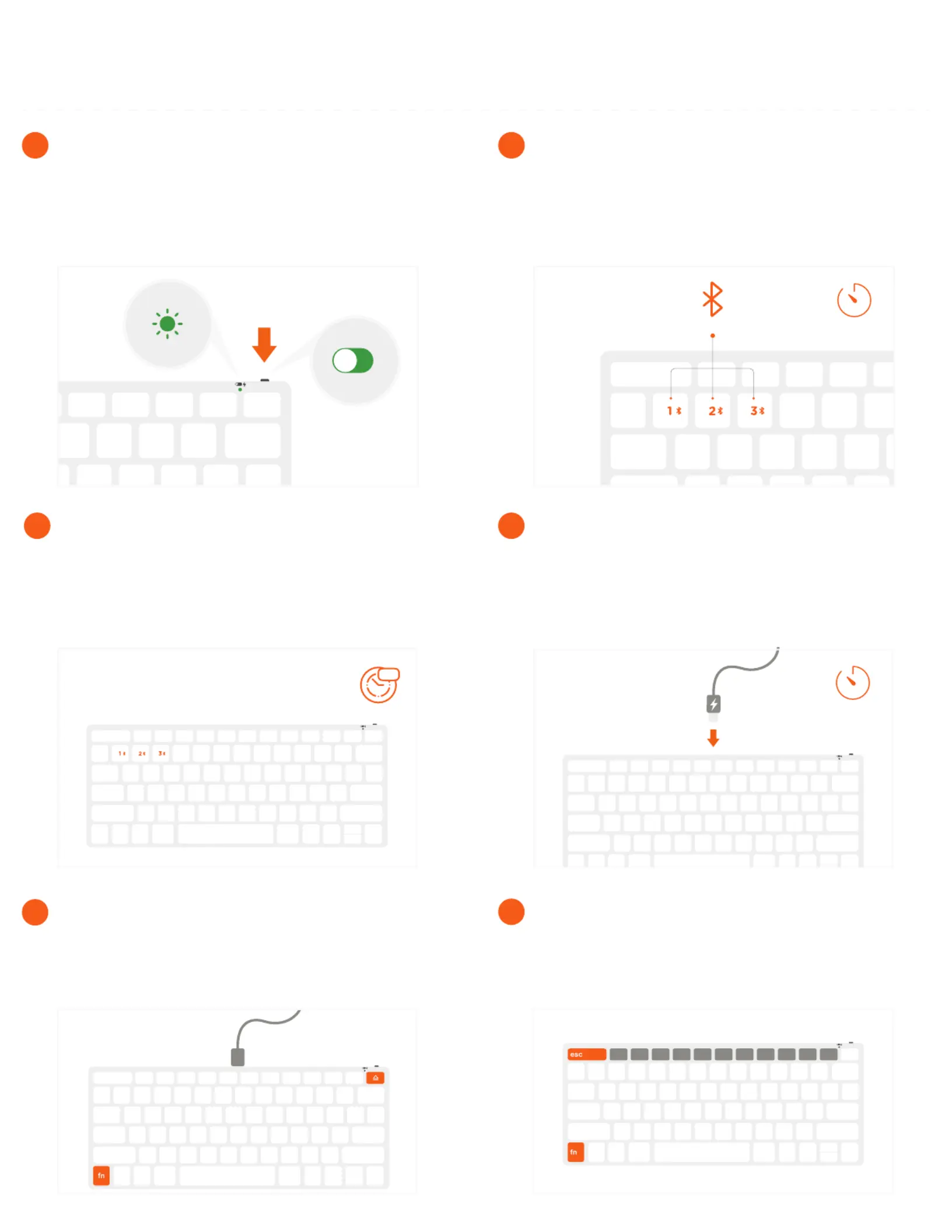
The keyboard can be used in wired mode by pressing
“Fn + Eject” while the cable is connected.
Press “Fn + Bluetooth key” to switch back to wireless
mode
5
Press “Fn + Esc” to swap between Media and Fn keys.
6
2-3h
To recharge, connect the keyboard to a powered
USB-C port using the included cable. Charge for 2-3
hours or until the red charging light turns green.
Power indicator light will flash green when on low
battery
4
Zzz
After 30 minutes of inactivity, the keyboard will go into
sleep mode to preserve battery.
Press any key to wake and the keyboard will
automatically connect.
3
3s
Press and hold one of the keyboard’s Bluetooth keys
for ~3 seconds, until the LED light starts to blink.
Select “Slim X1 Keyboard” on the host device’s
Bluetooth settings to complete the pairing process.
Repeat for each button to connect up to three devices
2
To turn on the keyboard, move the switch on the top of
the keyboard to the “on” position.
The power indicator light should turn green for
~3 seconds, then turn o
1
SLIM X1 BLUETOOTH BACKLIT KEYBOARD
INSTRUCTIONAL GUIDE
Termékspecifikációk
| Márka: | Satechi |
| Kategória: | billentyűzet |
| Modell: | X1 |
Szüksége van segítségre?
Ha segítségre van szüksége Satechi X1, tegyen fel kérdést alább, és más felhasználók válaszolnak Önnek
Útmutatók billentyűzet Satechi

20 Augusztus 2024
19 Augusztus 2024
18 Augusztus 2024
17 Augusztus 2024
17 Augusztus 2024
17 Augusztus 2024
17 Augusztus 2024
17 Augusztus 2024
16 Augusztus 2024
16 Augusztus 2024
Útmutatók billentyűzet
Legújabb útmutatók billentyűzet
5 Április 2025
5 Április 2025
5 Április 2025
5 Április 2025
5 Április 2025
4 Április 2025
30 Március 2025
30 Március 2025
30 Március 2025
30 Március 2025